How to adopt digital transformation?

Our experience in building intranet websites in SharePoint

Would you like to adopt digital transformation in your company processes, but you don’t know how to implement it?

Would you like to boost the impact of the technologies you already rely on?

Are you aiming to launch a unified resource hub for your users, or do you think it’s time to elevate your existing website?

You can do it through SharePoint!

But how can you make it happen? We’re here to support you and partner with you in building a powerful SharePoint site!

What’s SharePoint?

SharePoint is a tool included in most Business and Enterprise Microsoft 365 license plans. It enables organizations to develop web spaces for collaboration, making it easier to structure, update and share corporate information.

SharePoint is also a tool that can help companies embrace digital transformation by enhancing internal communication.

If your company adopts Microsoft 365 as corporate communication and productivity solution, it already holds all necessary platform and license infrastructure and probably already makes use of SharePoint, so why not turn it into a website that drives even more value in the flow of work?

Let’s explore the benefits

Let’s briefly explore the advantages of creating a website with SharePoint.

The benefits of organizing company information and communications materials on a centralized SharePoint web-accessible site structure are various and at different levels.

Overall
  • Provide Safe and reliable content repository
  • Maximize the value and ROI of the Microsoft365 platform.
  • Reduce help desk inquiries by providing centralized, structured access to processes and tools documentation and how to guides.
HR and Learning/KM Processes
  • Create dedicated websites to support an efficient onboarding process for new hires.
  • Unifying access to document and resources repositories for employees makes their daily work easier.
  • Improve Knowledge Management by maintaining a centralized customizable category hierarchy across all websites and document folders.
  • Implement efficient and controlled release and update workflows to edit, release and revise contents even for recurring changes.
End User
  • Improve User experience by adopting a virtual assistant to quickly respond to inquiries.
  • Provide seamless access via Mobile/Tablet/Laptop
  • Unified Communication and Document management processes

Let’s develop your SharePoint website!

To build your SharePoint website efficiently, whether it’s a collaborative project hub or a dedicated section of your corporate intranet, you need the right experts to bring your vision to life and ensure your project runs smoothly.

You need an expert in knowledge design, who can organize the contents in a smooth and smart way, to be aligned with your goals.

You also need the experience of a web designer, who can apply the visual components of your brand identity into your website, by applying the following principles:

  • Readability
  • Consistency
  • Professionalism
  • Credibility
  • Authority

We have the skills and the experience that you’re searching for.

We listen to your representatives, and we build your SharePoint website for you and with you.

We support you from the very early stages of your project: the requirement analysis, collecting training material, and the development of a first draft proposal.

Thanks to the expertise of our web designers, we design the website navigation and layout to deliver smooth, intuitive, and consistent user experience.
We help you find a simple and effective communication approach.
We collaborate with developers (either external or within your company) to integrate external components, previewing them during the development phases.
We support you with the maintenance of your website, including editing and updating pages and the content within them.

We can do all of this, and much more.

A fresh case study

The client’s requirements


Recently, one of our clients gave us a new challenge: to restructure and reorganize a set of resources and make them available in a single web portal designed for different newly hired professional roles. In this portal, each role must immediately understand where to find the materials relevant to their job, including both user guides and integrated web forms for requesting new procedures (e.g., creating a new item, modifying a curriculum, and so on).

New hires had to be trained in all procedures related to a given system, in a straightforward and efficient way.

There was also a clear need to bring structure to the collection of web tools spread across the company’s web environment. In their original form, the materials were arranged in a way that new hires would have struggled to locate the resources required for their daily tasks.

Our solution


Clear categorization of contents

We decided to organize all new and existing resources into two main categories: request forms and resources. These two content types are also visually distinguished through different colors, aligned with the brand palette. This allows every user to recognize the content categories at a glance.

Clear roles, defined pathways

We designed and built a single unified portal where the homepage immediately displays clear categorization by role. This way, a manager knows right away to click on their dedicated tile to access the materials specific to their role. The same applies to all other roles.

AI tools integration

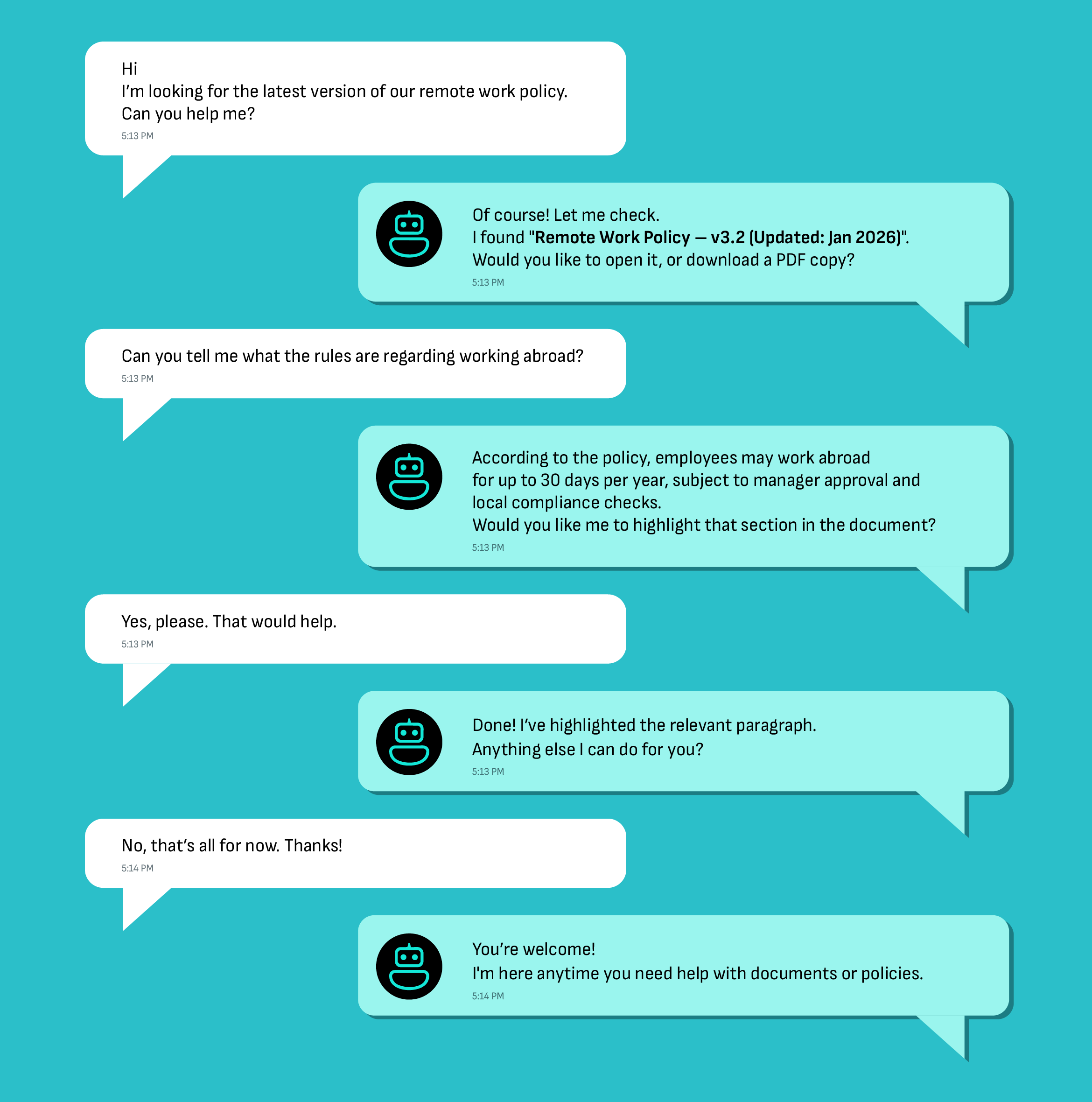
We integrated a smart Ai Powered Bot that provides immediate and accurate answers to user questions, asked in their natural language. Users can use any language. The agent searches the curated document repository and responds to any doubts the users may have. The bot is prominently displayed on every page of the website, allowing users to request assistance at any point in their workflow. The bot acts as a user guide and reduces the number of support requests, offering a smart solution that can be applied to virtually any process. This is a completely new experience to search through document data set, no scrolling, no browsing, no directory scanning.

Easy updates and website maintenance

Wherever possible, we made sure that materials could be uploaded directly within the website itself, using a well-defined naming convention. This makes updating content easy and fast.

/* */